Role
Product Designer
Client
Carnegie Learning
Duration
3 months

The Situation
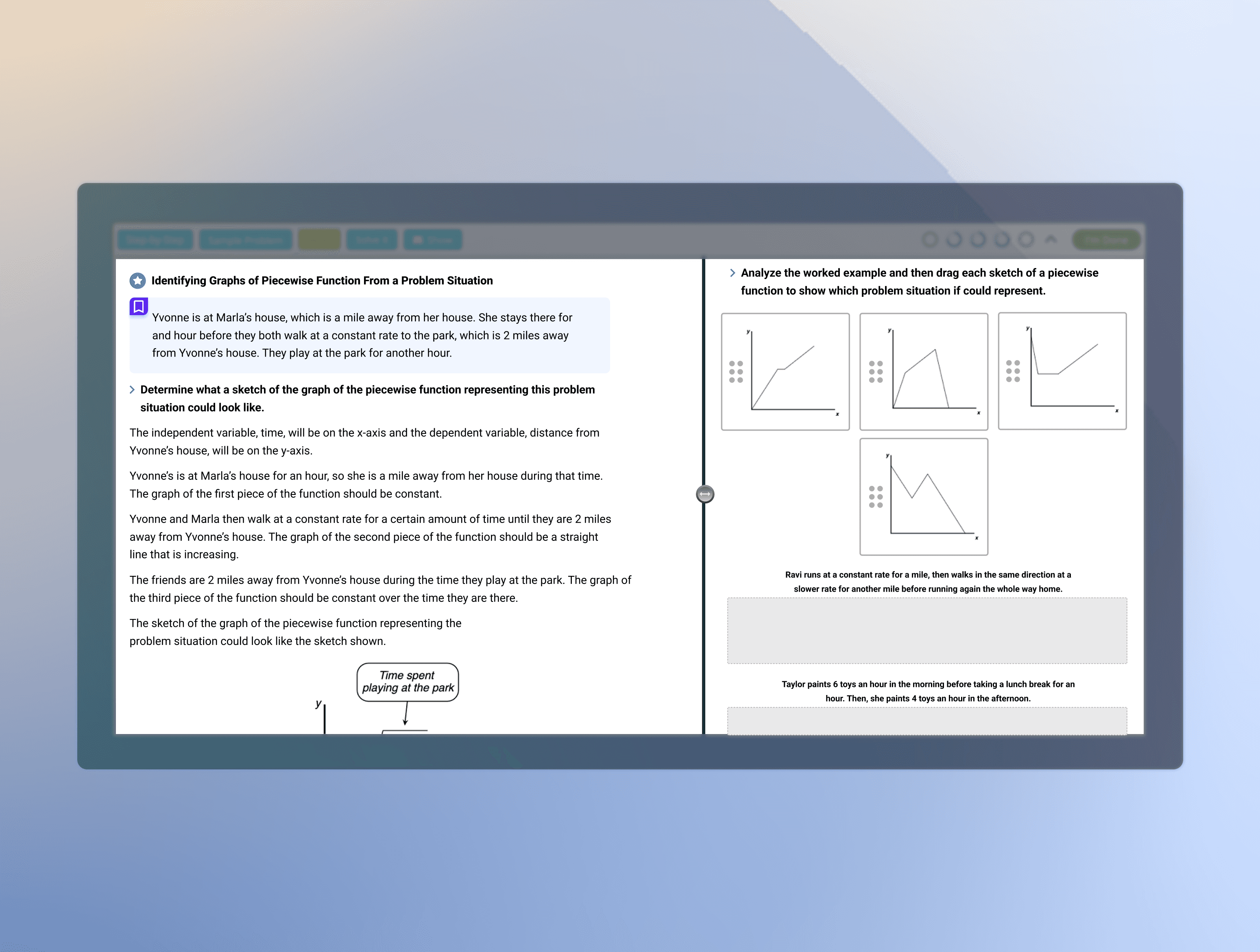
The math workspace had been evolving for years as new instructional content and learning activities were continuously added. While the educational experience matured, the interface itself received limited design investment.
The team initially approached the project as a visual refresh. However, the product had accumulated years of design debt, and improvements needed to be balanced against limited engineering capacity, competing priorities, and a small implementation team of two engineers.
My role was to assess the current state of the experience, identify the most impactful opportunities, and define a realistic modernization strategy that could scale with the product over time.

Diagnosing the Real Problem
The challenge was not to redesign the interface.
The challenge was to create a scalable system that could support future product growth while reducing design inconsistency and implementation complexity.
Instead of redesigning individual screens, I reframed the project as a product modernization effort focused on establishing scalable design foundations, reusable interaction patterns, and a path toward long-term consistency.
Symptoms of Design Debt
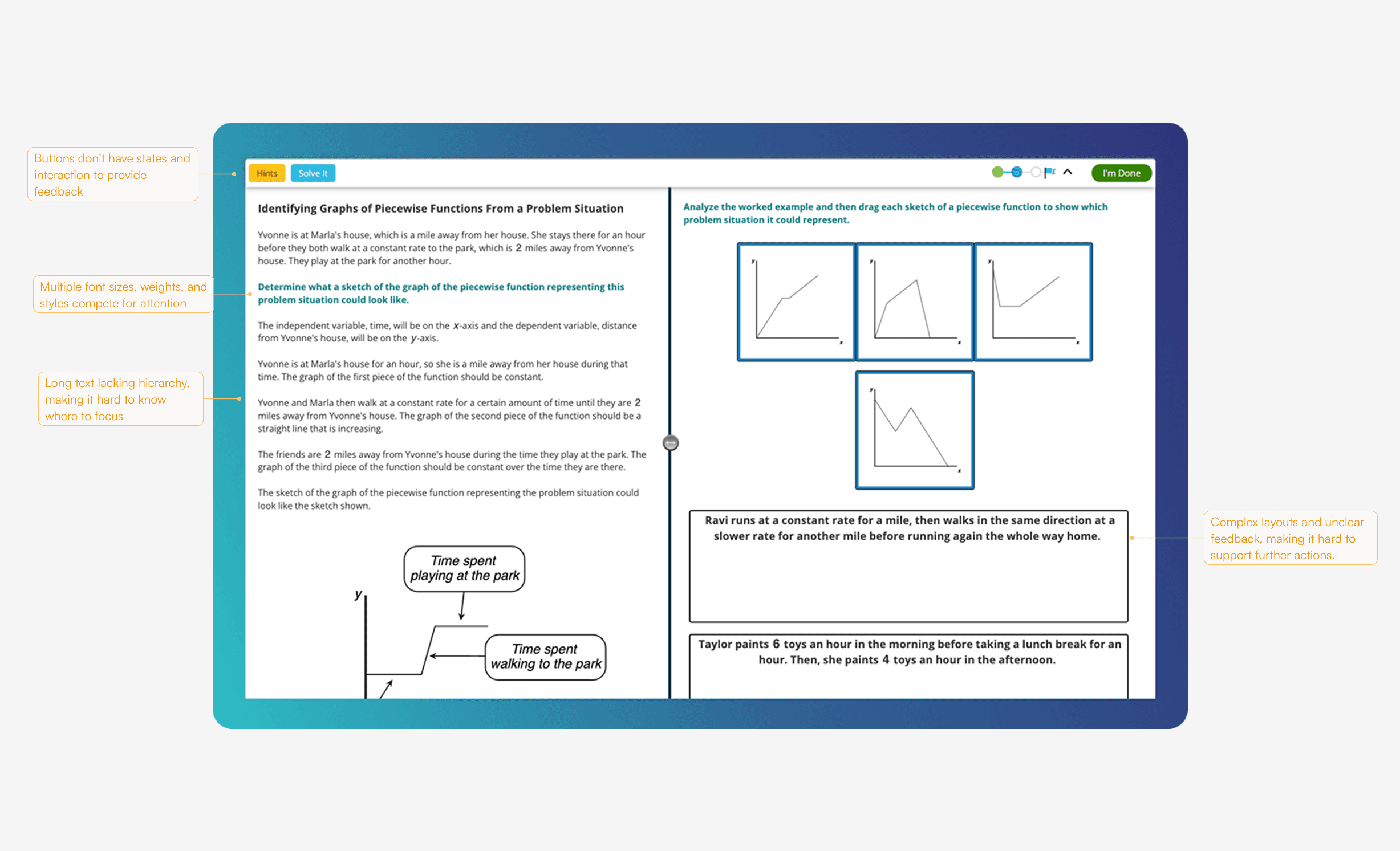
As the workspace evolved over time, several usability issues emerged across the experience:
Weak visual hierarchy made multi-step activities difficult to scan and follow.
Accessibility concerns, including text sizing and contrast, reduced readability for some learners.
Inconsistent UI patterns created unnecessary cognitive load.
Learning support mechanisms provided limited feedback and guidance.
The hint system was difficult to discover and understand, resulting in low adoption.
These symptoms pointed to deeper structural issues that could not be solved through a visual refresh alone.
Strategy
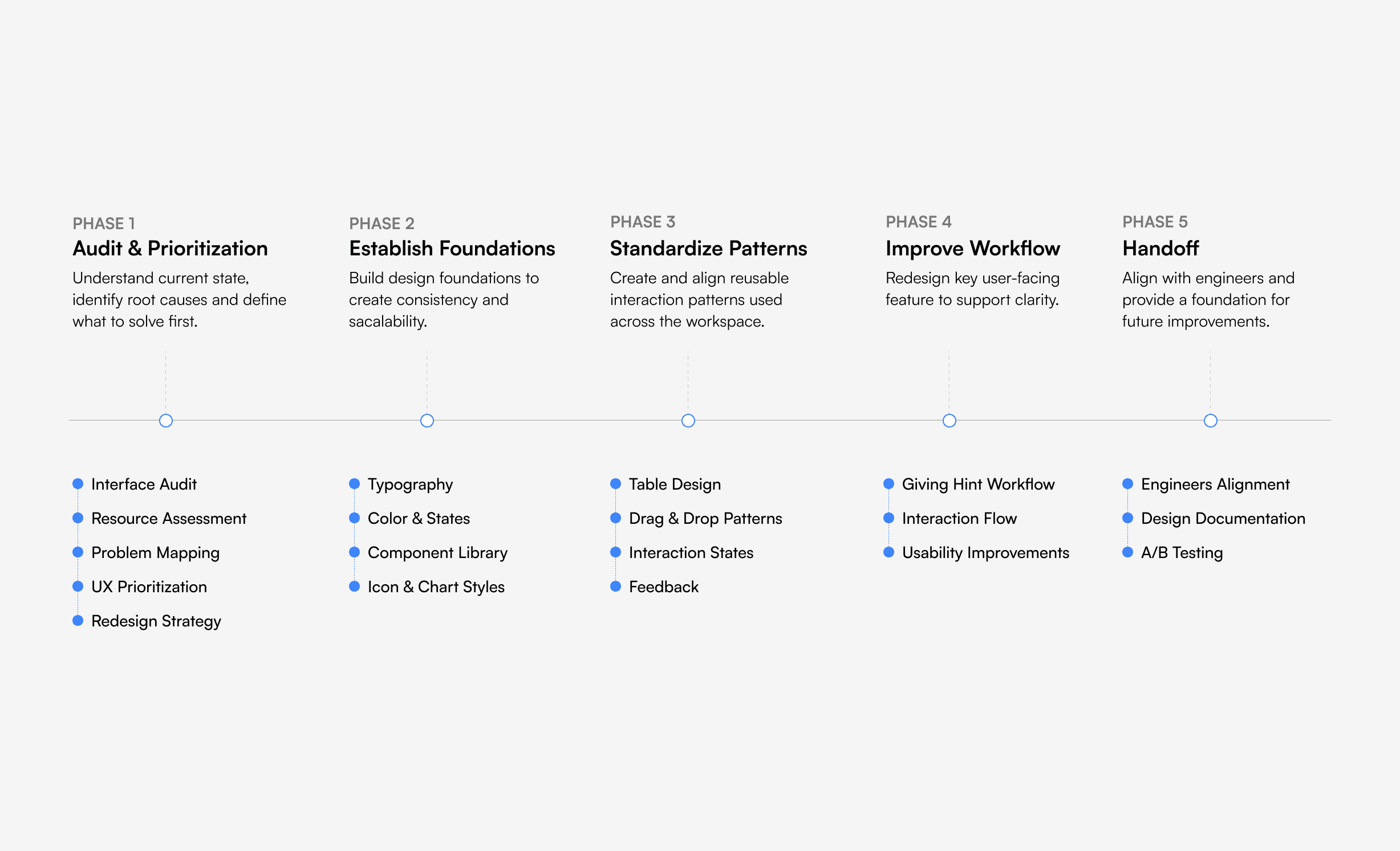
Move onboarding outside the workspace
Establish design foundations
Standardize high-frequency patterns
Improve learning support workflows
Execution
Establishing Design Foundation
The audit revealed that many usability issues stemmed from a deeper problem: the workspace lacked a shared design language.
While content structures had expanded over time, there was no consistent framework for communicating information hierarchy. Problem context, instructions, goals, and prompts often competed for attention, making it difficult for students to quickly understand what mattered most. At the same time, heavy reliance on grayscale UI and undefined interaction states made it difficult to distinguish feedback, actions, and system responses.
To address this, I established a foundational design system focused on two areas: defining information hierarchy through content structure and typography, and creating a visual language through semantic color usage and interaction states. Together, these foundations created a more consistent, scalable, and accessible learning experience.

Content Hierarchy (Typography)
Rather than treating all instructional content equally, I first defined the role of each information type and established a clear hierarchy to communicate importance and intent.
By introducing distinct content roles, typography styles, spacing rules, and visual treatments, students could more easily identify what they needed to understand, what action to take, and how each piece of information related to the learning task.
Visual Language (Color)
The existing workspace relied heavily on grayscale styling, making it difficult for students to distinguish between content, actions, and system feedback.
To improve clarity, I introduced a semantic color system and defined interaction states that communicated meaning consistently across the experience. Colors were assigned specific purposes such as feedback, interaction, emphasis, and status, allowing students to more quickly interpret system responses and navigate learning activities with confidence.

Building Consistency Through Components
While establishing design foundations improved information clarity, many of the workspace’s interactive elements still behaved inconsistently.
Buttons, dropdowns, icons, and input fields had evolved over time without shared specifications or documented states. Similar interactions were often implemented differently across workspaces, making the experience less predictable for students and more difficult to maintain for developers.
To address this, I audited commonly used UI elements, standardized their visual treatments and behaviors, and documented interaction states across the system. This created a reusable component foundation that could be applied consistently across future learning activities.

Create Reusable Interaction Patterns
As the product evolved, common workflows lacked shared interaction patterns, leading to inconsistent experiences and fragmented implementations.
I identified high-frequency patterns and standardized their structures, behaviors, and states to create reusable solutions that could scale across the product.
The result was a more consistent, maintainable, and scalable interaction framework.
Designing Transparent Support Decisions
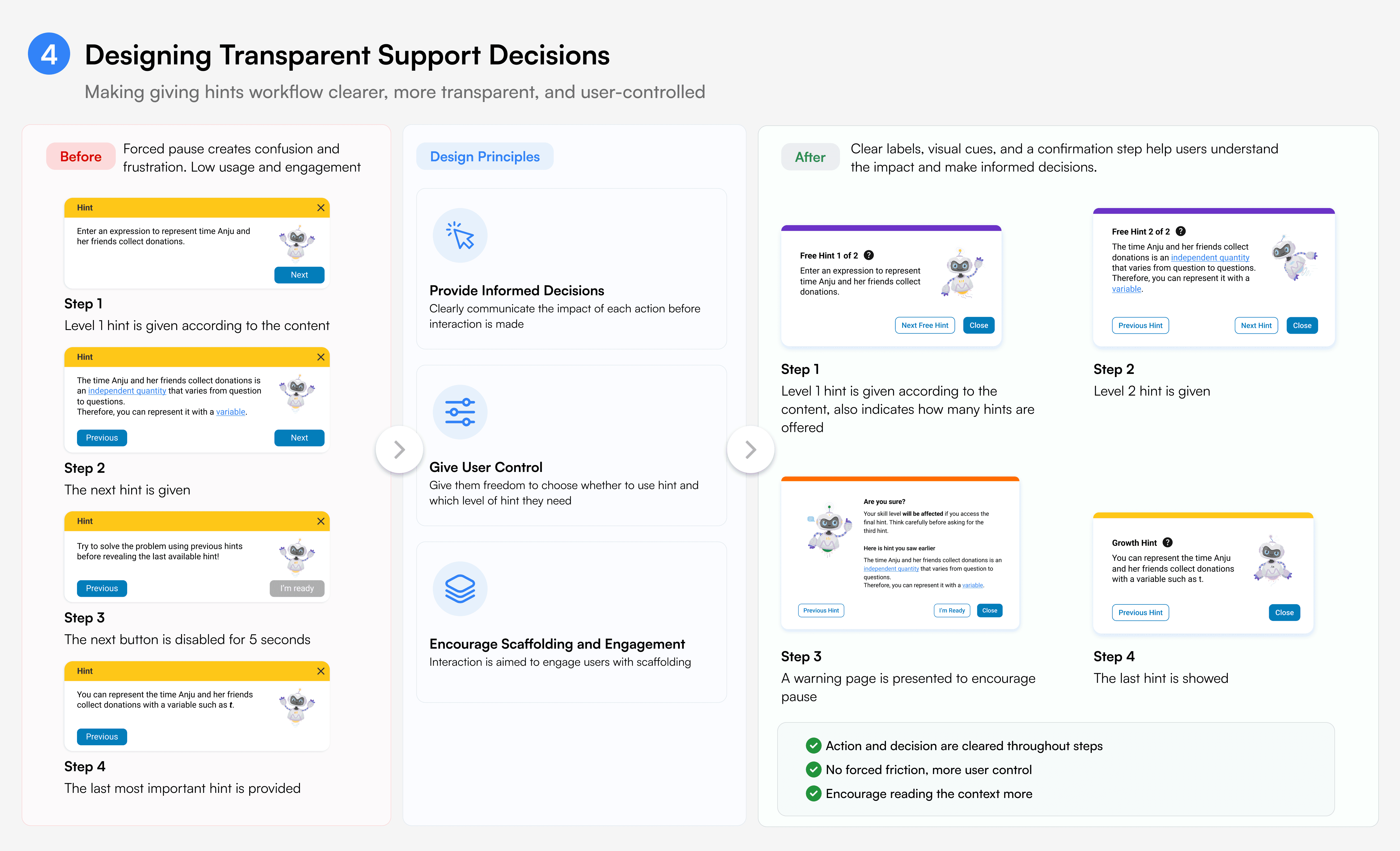
The original workflow used friction to discourage hint usage, but failed to explain the tradeoff behind it.
I redesigned the experience to make the cost and value of each hint visible through clearer labels, progression, and decision points.
By replacing hidden restrictions with transparent guidance, the workflow gave students greater control over when and how they chose to seek help.

Impacts
Established a Shared Design Foundation
Created a common design language across typography, color, states, and interaction patterns, providing a foundation for future product evolution.
Improved Scalability Across Content Experiences
Introduced reusable patterns and component standards that could be applied across a growing library of instructional content without redesigning individual screens.
Enabled More Sustainable Product Development
Aligned design, product, and engineering around documented standards, reducing ambiguity and making future maintenance more efficient.
Created Opportunities for Future Validation
Established clearer interaction models and design foundations that could support future experimentation, usability testing, and product improvements.